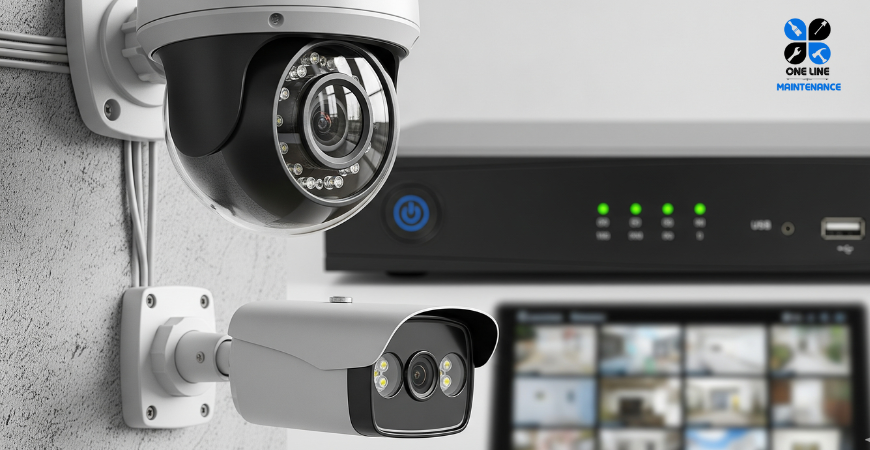
In today's world, security is not just a luxury, but an essential part of life. Be it homes, offices, shops, villas or industrial establishments, CCTV cameras are the mainstay of security. Digital Video Recorder (DVR) and Network Video Recorder (NVR) are essential for recording, storing and retrieving video data accurately.
Many times users find that there is no recording, the playback is not working properly, or the live view from the mobile is not available. Professional DVR / NVR configuration and troubleshooting support are needed to solve these problems. In this blog, we will discuss the role of DVR / NVR, setup, common problems, solutions and expert tips.
What's the difference between DVR and NVR?
Both DVR and NVR are video recorders, but there are some differences in the way they work.
Digital Video Recorder (DVR)
- Works with an analog camera.
- Video from the camera comes directly to the DVR via the cable.
- Setup is possible at a relatively low cost.
Network Video Recorder (NVR)
- IP is used for the camera.
- Video data comes through the network or the Internet.
- Supports high-quality (HD / 4K) recording.
No matter what system is used, your security system will not be effective without proper configuration.
The Importance of DVR / NVR
- Ensuring recording reliability - Every camera has to check whether the footage is being saved properly or not.
- Time and Date Sync - Incorrect date / time reduces the quality of the video as a legal or security proof.
- Storage management - to see if there is enough space on the hard disk, whether loop recording is turned on or not.
- Remote viewing - Whether you can watch video from mobile or desktop at any time is the biggest need today.
- System Update - Old software can be a threat to security.
Steps to set up the DVR / NVR
Our experienced technicians usually carry out the configuration in the following steps:
1. Initial setup
- Set up a new DVR / NVR
- Add camera according to the channel
- Adjusting video quality, frame rate, and format
2. The recording schedule
- 24/7 recording
- Motion Detection Recording
- Time-based custom schedule
3. Playback and Backup
- The video is easy to play
- The ability to back up to a USB / hard drive
4. Network Setup
- LAN / Wi-Fi connection
- DDNS or Cloud Server
- Remote View Setup in Mobile App
5. Firmware Update
- Keeping the latest version of the software
6. Storage Management
- The hard disk format
- Error log test
- Turn on auto overwrite or loop recording
Common problems and solutions
Problem 1: The display is not coming up.
Possible reasons:
- It's only Luz
- The loss of hardware
- Video output settings are incorrect
The Solution:
Just check, change the HDMI / VGA, call the technician if necessary.
Problem 2: The recording is not available.
Possible reasons:
- Recording schedule not set
- Hard disk is faulty
- Firmware issue
The Solution:
Check the schedule, reformat the HDD, update the firmware.
Problem 3: The remote view is not working.
Possible reasons:
- There is no Internet
- Port forwarding error
- The app doesn't update.
The Solution:
Fix the network settings, open the port on the router, update the app.
Problem 4: The system hangs or slows down
Possible reasons:
- Extra Load
- Old firmware
- Hard disk flower
The Solution:
Change the hard disk, update the software, delete unnecessary files.
The best way to use DVR / NVR
- Update the system every six months.
- Check the health of the hard drive.
- Keep the network password strong.
- Block access to unwanted users.
- Always use the latest version of the app.
Why do you want to use our service?
- A team of experienced technicians
- Support for all brands (Hikvision, Dahua, CP Plus, Ezviz, Uniview, etc.)
- Fast booking and timely support.
- Remote viewing setup at home
- Services available in Riyadh, Jeddah and Dammam
How to make an order?
- Visit our website or call us on WhatsApp.
- Give your name, location and a brief description of the problem.
- We will send a technician to confirm the booking.
- You will get the invoice at the end of the work and you can make the payment easily.
Contact With Us
Have questions or need quick support? Our team is always ready to assist you.
- 🌐 Visit our Website: onelinemaintenance.com
- 📞 Call Us: +966 500 649 613
- 💬 Chat on WhatsApp
- 📍 Service Area: Riyadh, Jeddah and Dammam
Conclusion
The DVR / NVR isn't just a machine - it's an unrelenting sentinel of your assets and loved ones' safety. Without proper configuration and maintenance, CCTV systems will never work at full capacity. Therefore, it is very important to get the configuration and regular troubleshooting done by expert technicians.
Contact us today to ensure the safety of your home, shop, office or villa.